
Clash-free timetables in minutes.
Enter your teachers, classes, subjects and rooms once. Takaz Timetables Pro builds the whole school timetable for you, with no clashes, and prints it with your school logo.
| Mon | Tue | Wed | Thu | Fri | |
|---|---|---|---|---|---|
| 1 7:30 | MathsMr Dube | EnglishMrs Moyo | ScienceMr Banda | MathsMr Dube | ShonaMrs Chari |
| 2 8:10 | MathsMr Dube | HistoryMs Ncube | ScienceMr Banda | EnglishMrs Moyo | GeographyMr Sibanda |
| BREAK | |||||
| 3 9:10 | EnglishMrs Moyo | ShonaMrs Chari | GeographyMr Sibanda | HistoryMs Ncube | MathsMr Dube |
| 4 9:50 | ComputersLab 1 | MathsMr Dube | EnglishMrs Moyo | ScienceLab 2 | EnglishMrs Moyo |
| 5 10:30 | ComputersLab 1 | AgricMr Phiri | ShonaMrs Chari | ScienceLab 2 | HeritageMs Ncube |
Everything a school timetable needs
Automatic generation
The program places every lesson for you and shows how many periods are placed.
No clashes
No teacher, class or room is ever booked twice in the same period.
Your school day
Set your periods, breaks and closed periods exactly as your school runs.
Couplings and groups
Subjects taught side by side, shared lessons and teaching groups are handled for you.
Rule checks
Periods per week, double lessons and subject rules are checked, and any problem is listed.
Ready to print
Class, teacher and room timetables, with your school name and logo on every page.
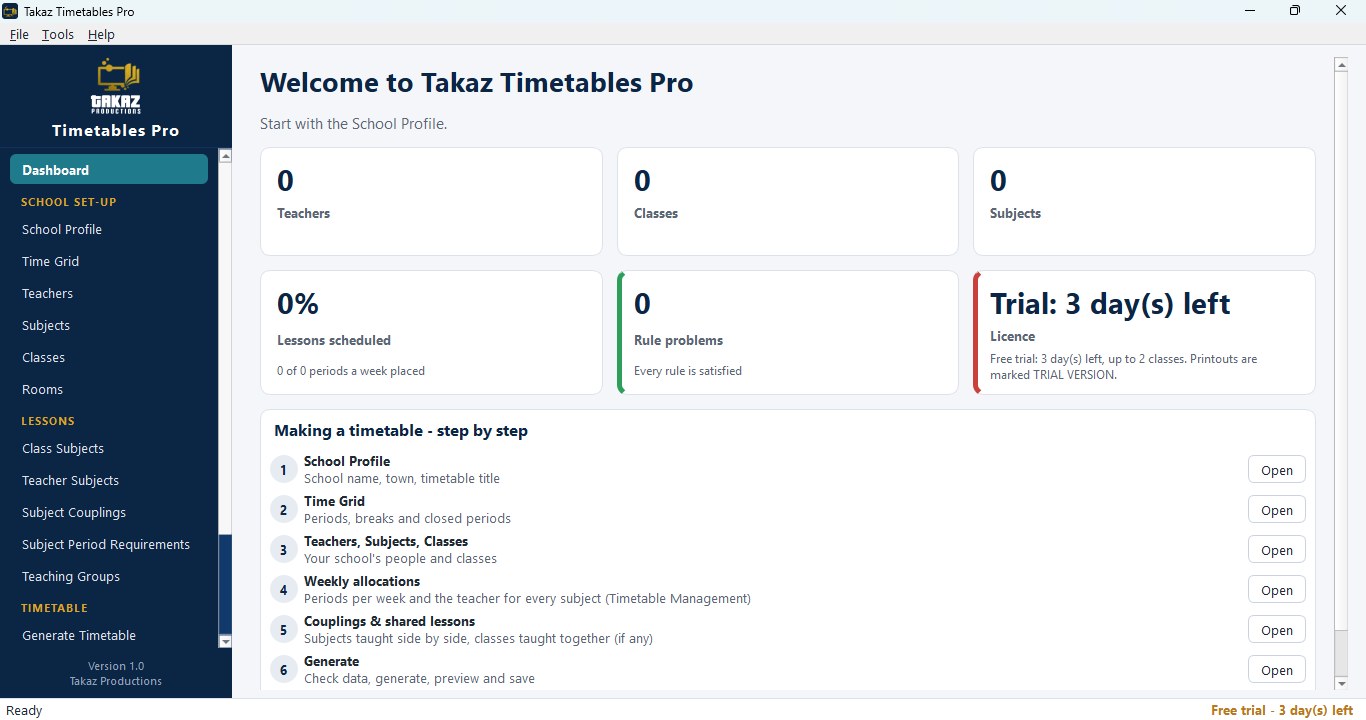
A clear step-by-step guide
The dashboard walks you through it: school profile, time grid, teachers, subjects and classes, weekly allocations, couplings, then generate.
- Progress and rule problems shown at a glance
- Change one lesson, or generate again
- A full user manual is included
Frequently asked questions
Do we need the internet to use it?
No. Takaz Timetables Pro runs on your own Windows computers, without internet. You only need to activate your licence key once.
How many computers can we install it on?
As many as you need at your school. One licence covers the whole school for the year.
What computer do we need?
A Windows 10 or Windows 11 computer (64-bit). A printer is useful for printing timetables.
Can we change the timetable during the term?
Yes. Move a lesson, change a teacher or generate again, then print the new timetables.
What does the free trial include?
The full program for 3 days, with up to 2 classes. Printouts are marked TRIAL VERSION. When you buy, you just enter your licence key.
Try Takaz Timetables Pro free
Send us your school name on WhatsApp and we will send you the setup file.